
AI Email Subject Line A/B Testing: GPT vs. Claude Compared
GPT and Claude produce structurally different subject line outputs — and the strongest A/B tests use both as parallel variant generators rather than picking one. This guide covers side-by-side output comparisons, model-specific prompt templates, a dual-model testing workflow, and how to read results accurately when Apple MPP inflates open rates.
Why Most Marketers Test Too Few Subject Line Variants
Only 39% of email marketers regularly A/B test subject lines. The other 61% are sending on instinct — choosing one line, shipping it, and moving on. The problem isn't laziness. It's economics. Writing five to ten credible subject line variants by hand takes meaningful time, and most email workflows don't budget for it.
AI changes that arithmetic. A well-prompted model can generate eight to twelve candidates in under two minutes. The bottleneck shifts from production to selection — which is a better problem to have, because selection requires judgment, not hours.
But which model? The common answer — 'just use ChatGPT' or 'just use Claude' — misses the more useful insight: GPT and Claude produce structurally different outputs. They have different writing biases. And those differences, when understood, make both models more valuable together than either is alone.
This article isn't a verdict. It's a workflow. The goal is to show you how to use both models as parallel variant generators — pitting the best of each model's output style against each other in live tests — so your A/B candidate pool is larger, more diverse, and more likely to contain a genuine winner.
How GPT and Claude Differ in Subject Line Output
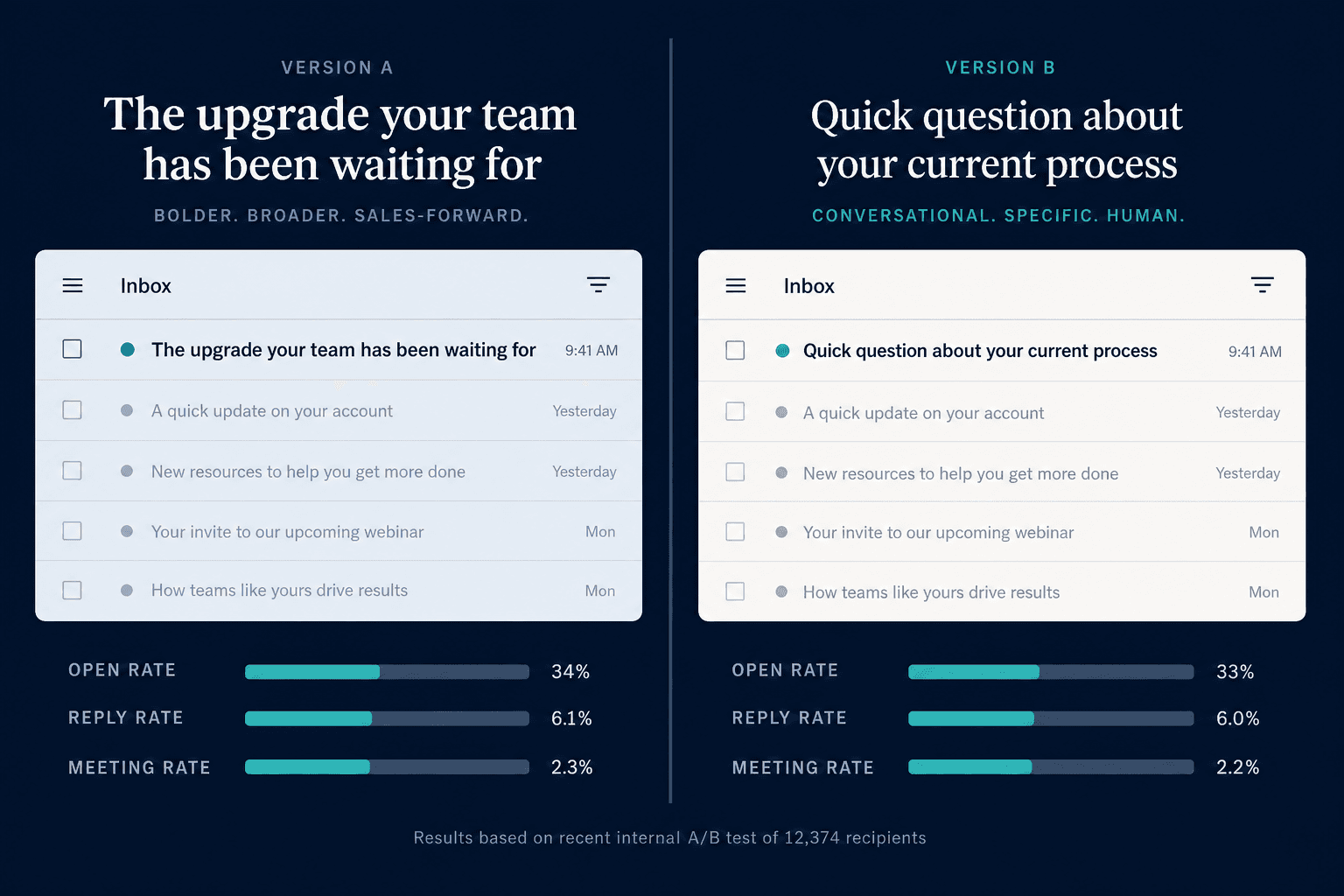
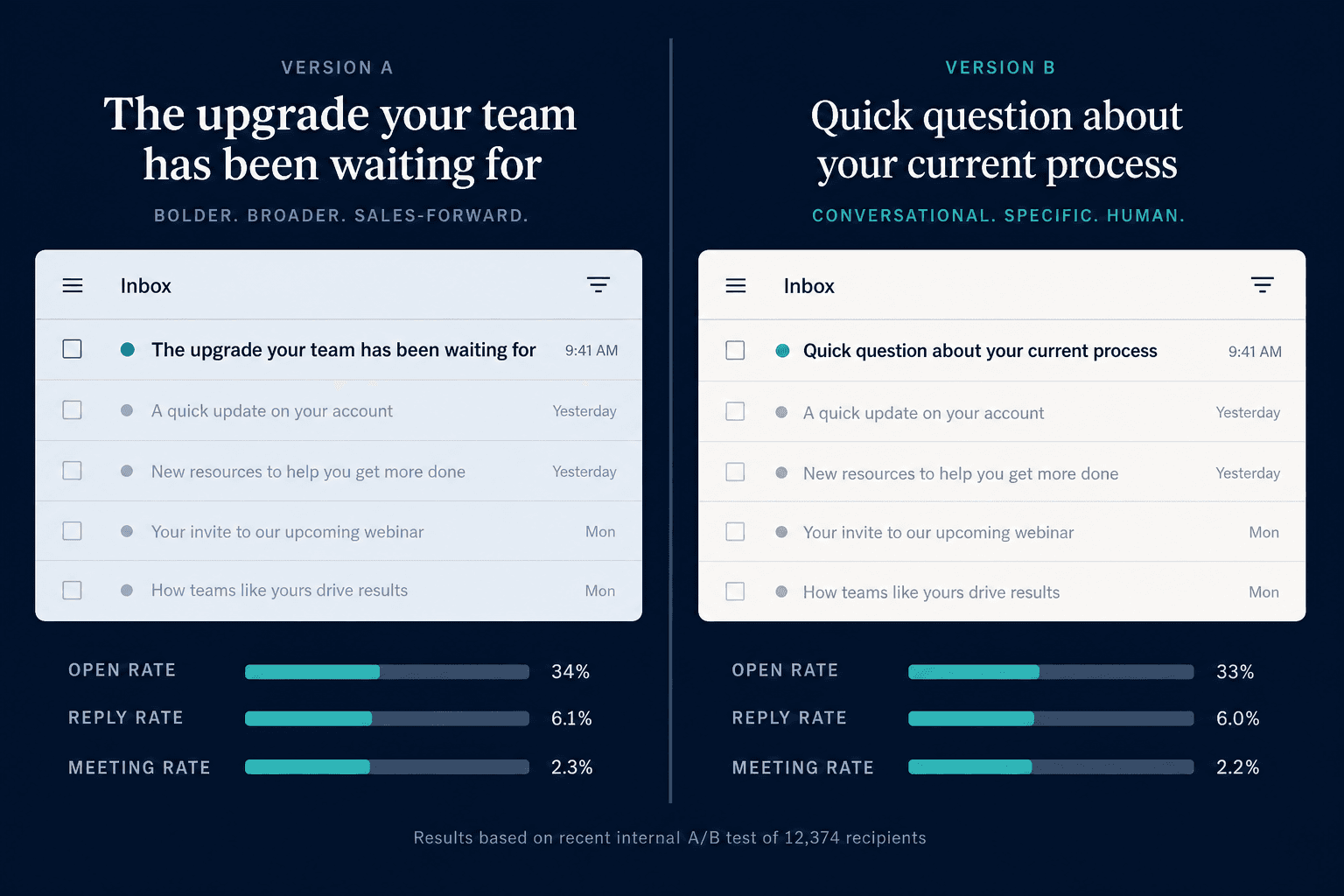
The clearest way to see the difference is to feed both models the same prompt and compare what comes out. A practitioner test using a cold outreach prompt targeting CFOs — 'Write a cold email subject line for a SaaS product targeting CFOs' — produced two very different results:
| Model | Subject Line Output | Observed Character |
|---|---|---|
| Claude | Quick question about [Company]'s month-end close | Specific, curiosity-driven, conversational — reads like a real person wrote it |
| GPT | Transform Your Financial Close Process with AI-Powered Automation | Generic benefit statement, sales-forward, reads like a marketing email |
A second practitioner test using a cold B2B outreach prompt for a content SaaS company produced a similar pattern. GPT-4o generated 'Idea to Help Launchify Scale Content Without Scaling Burnout' — described as authentic and conversational, balancing professional recognition with warmth. Claude Sonnet generated 'Quick win for Launchify's Series A momentum' — more direct and punchy, but slightly more templated in feel.
The pattern that emerges across tests is consistent, not coincidental:
- Claude trends toward specificity and conversational register. Its lines tend to feel like they came from a person, not a campaign.
- GPT trends toward tonal breadth and sales-forward framing. In a single batch, it can swing from aggressive direct response to lifestyle-brand soft sell — a range Claude rarely covers without explicit prompting.
Neither tendency is a flaw. They reflect different strengths. Claude's specificity is valuable when you need lines that don't trigger spam-detector instincts. GPT's range is valuable when you're testing into a new audience segment and genuinely don't know which angle resonates.
Model-Specific Prompt Engineering for Subject Lines
The same prompt does not perform equally across both models. Claude responds better to structured context with explicit constraints. GPT responds better to open-ended angle variation requests. Using a generic prompt on both models flattens the output differences that make the dual-model approach valuable.
Prompting Claude: XML Context Blocks with Hard Constraints
Claude's instruction-following is reliable enough to enforce character limits, tone rules, and format requirements without revision loops — but only if those constraints are stated explicitly. The most effective structure uses XML-tagged context blocks:
<context>
Company: [Your company name]
Industry: [Your industry]
Audience: [Specific recipient role and context]
Current average open rate: [Your baseline]
Email platform: [Your ESP]
Past winning subject lines: [2-3 examples from your own sends]
</context>

<task>
Generate 10 email subject lines for [specific campaign goal].
For each line, include:
- The subject line text
- A preview text suggestion (40 characters max)
- The psychological trigger used (curiosity / benefit / urgency / social proof / personalization)
- Predicted performance vs. baseline (higher / similar / lower) with one-sentence rationale
</task>

<constraints>
- No ALL CAPS words
- No spam trigger words (free, guaranteed, act now, limited time)
- At least 3 lines must be under 35 characters for mobile preview
- Include at least 2 question-based lines
- Include at least 1 number-based line
- Match the tone of the past winning subject lines provided above
</constraints>

<format>
Return as a numbered list. One subject line per item.
</format>
One high-return habit: save your brand voice notes and past winning subject lines in a Claude Project. Over repeated sessions, Claude builds familiarity with your style and generates lines that require fewer edits to match your brand register.
For high-stakes sends — product launches, win-back campaigns — Claude Opus is worth the additional cost. For standard sequences and bulk variation generation, Claude Sonnet handles the task reliably at lower per-token cost.
Prompting GPT: Angle Variation Requests
GPT's tonal range is a feature, not a bug — but only if you ask for it explicitly. A generic prompt returns one tonal register. An angle variation request returns the full spread:
Generate 10 email subject lines for [specific campaign goal] targeting [audience].

Write 2-3 lines in each of the following tonal angles:
- Direct response: lead with the strongest benefit or outcome
- Curiosity: withhold the payoff to drive the open
- Urgency or scarcity: time or availability pressure (only if genuinely applicable)
- Conversational: sounds like a message from a colleague, not a campaign

For each line:
- State the tonal angle used
- Keep lines under 50 characters where possible
- Avoid ALL CAPS and spam-flagged phrases

Brand context: [2-3 sentences describing your brand voice and the campaign]
Past subject lines that performed well: [2-3 examples]
The explicit angle request is what makes GPT useful for discovery testing. You're not just getting more lines — you're getting lines from genuinely different creative directions, which increases the probability that at least one angle resonates with a segment you haven't reached yet.
The Dual-Model A/B Testing Workflow
Running both models in parallel is a five-step process that takes 20–30 minutes before your first send. Once you've done it twice, it compresses to 15.
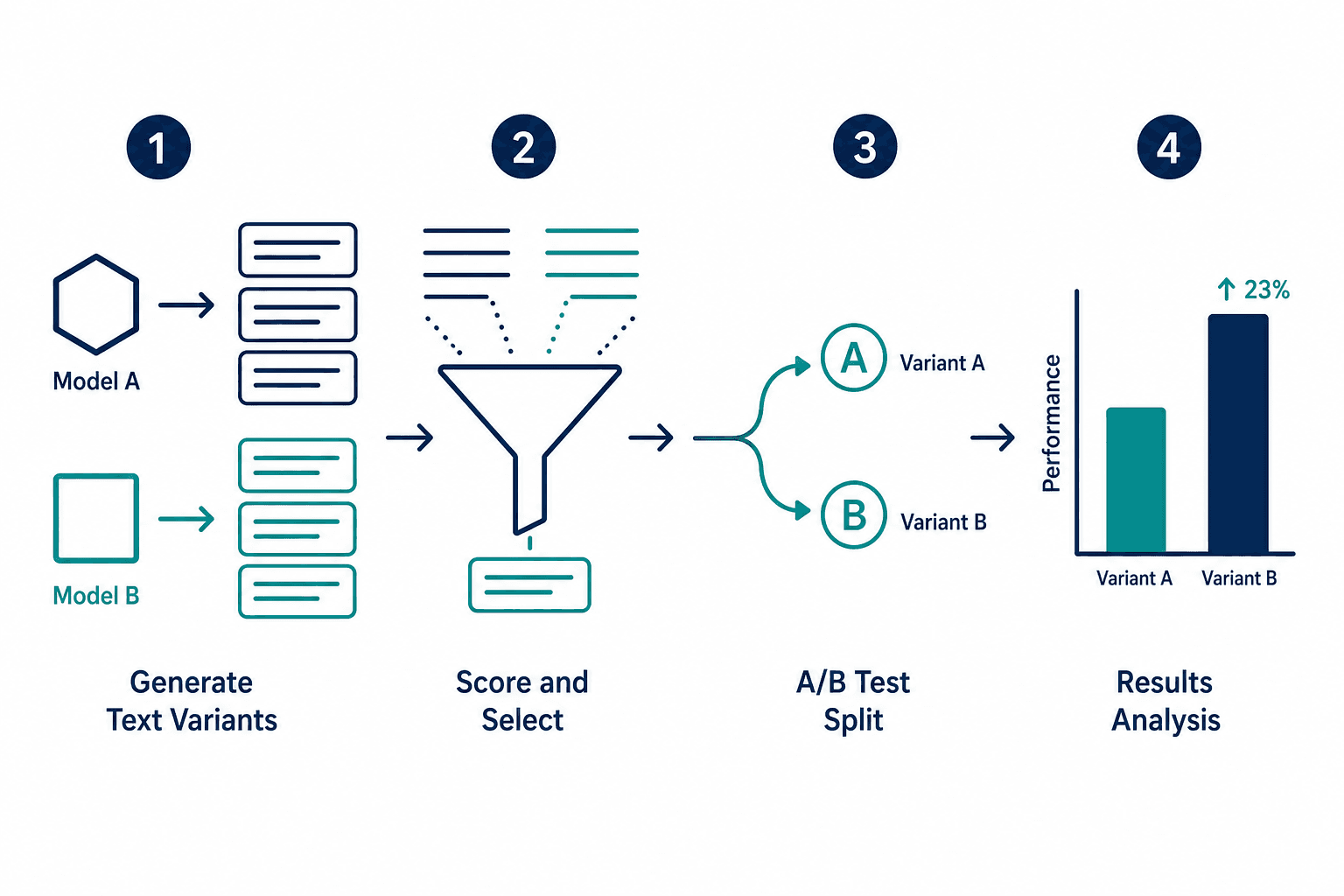
- Load brand context into both models. Paste 3–6 recent subject lines that performed well, a brief brand voice description, and the specific campaign goal. Do this before asking for any output. Models that receive context first generate more on-brand candidates.
- Generate candidates from each model. Target 8–10 from Claude using the XML-structured prompt, and 8–10 from GPT using the angle variation prompt. Your raw pool should be 15–20 candidates after removing obvious duplicates.
- Pre-score and filter before any send. Eliminate lines over 50 characters (mobile preview truncation), any line using ALL CAPS, and any line that reads as a generic benefit statement without specificity. Flag which psychological trigger each surviving line uses — you want variety across the test set, not five curiosity lines competing against each other.
- Select final test variants by use-case fit. For B2B cold outreach, prioritize Claude's specific, conversational lines as your primary variants. For B2C promotional, include GPT's tonal-range lines to test which hook angle lands. Always include one of your own control lines — a subject line from a past send with known performance — so you have a baseline.
- Structure the A/B test with a 10–15% sample per variant. Run the test on the sample portion, let it run for at least 4 hours (longer for B2B lists with lower send frequency), then send the winner to the remainder. Use click rate and reply rate — not open rate alone — as your winning criteria. (More on why in the section on Apple MPP below.)
After the send, there's a sixth step worth making a habit: paste the results back into your AI and ask what the winning line had that the others didn't. This turns a single test into a compounding learning loop. The model's analysis of your own results — framed in terms of psychological trigger type, specificity level, and character count — becomes input for the next campaign's prompt.
Platform Setup: Mailchimp, Klaviyo, and HubSpot
The dual-model workflow generates candidates. Your ESP structures the test. Here's what each major platform supports for subject line A/B testing — verify current limits in your own platform documentation, as these change with product updates.
| Platform | Max Variants | Testing Method | Notable Feature |
|---|---|---|---|
| Mailchimp | Up to 8 (Premium plan) | Manual split with configurable sample size | Supports subject line, from name, send time, and content variants in one test |
| Klaviyo | Multi-armed bandit for flows | Automated traffic allocation for flows; manual split for campaigns | Strong for ecommerce personalization; flow testing auto-routes traffic to winner |
| HubSpot | Up to 5 (Marketing Hub Professional+) | Manual split with configurable winner criteria | CRM-powered personalization enables list-segment-specific variant routing |
Reading A/B Test Results Honestly: The Apple MPP Problem
Open rate is the obvious metric for a subject line test. It's also the least reliable metric for a significant portion of most email lists.
Apple Mail Privacy Protection works by pre-loading email pixels when a message arrives in an Apple Mail inbox — regardless of whether the recipient actually opens it. The tracking pixel fires, the open is recorded, and your ESP reports it as an open. The recipient may never have seen the subject line at all.
The scale of this problem is significant. Litmus data has shown Apple Mail accounting for more than 50% of combined email opens, with open rate inflation reaching up to 75% for Apple Mail users at peak MPP adoption. At the list level, the inflation effect averages 15–30% depending on how many Apple device users are on your list.
The practical implication for A/B testing: a subject line that 'wins' on open rate may simply be winning because it happened to land in more Apple Mail inboxes in the test sample — not because it was genuinely more compelling.
There are two ways to handle this:
- Segment Apple Mail users out of your A/B test analysis. Most ESPs can identify email client at the subscriber level. Run your open rate comparison on the non-Apple segment only. This gives you a cleaner signal, though it reduces your sample size.
- Use click rate and reply rate as your primary winning criteria. Clicks require actual engagement. Replies require intent. Neither metric is inflated by pixel pre-loading. For cold outreach, reply rate is often the most honest signal of subject line effectiveness.
Open rate still has value as a directional signal — particularly on the non-Apple segment — but treating it as a definitive winner metric in 2026 produces unreliable conclusions on most lists.
Building a Subject Line Performance Log
A single A/B test tells you which line won this send. A performance log tells you why — and makes the next test faster to set up and more likely to produce a meaningful result.
The log doesn't need to be complex. A spreadsheet with five columns captures what matters:
| Field | What to Record | Why It Matters |
|---|---|---|
| Model source | Claude / GPT / human-written | Tracks which model generates your winners over time |
| Prompt pattern | XML-structured / angle variation / freeform | Identifies which prompt structure produces better candidates for your list |
| Psychological trigger | Curiosity / benefit / urgency / personalization / social proof | Reveals which trigger type your audience responds to by segment or campaign type |
| Measured outcome | Click rate, reply rate, open rate (note: open rate with MPP caveat) | The actual result — use click/reply as primary; open rate as secondary with Apple Mail caveat noted |
| Campaign context | B2B cold / B2C promo / re-engagement / nurture | Lets you filter results by campaign type rather than treating all sends as equivalent |
After 10–15 tests, patterns emerge: your B2B cold list responds to curiosity-trigger lines from Claude; your B2C promotional list responds to direct-benefit lines from GPT at 35 characters or under. Those patterns become the starting point for your next prompt — you're not guessing at what to test, you're building on evidence.
The habit of pasting results back into your AI after each test accelerates this loop. Ask the model to analyze what the winning line had that the others didn't — in terms of trigger type, specificity, character count, and register. Its analysis becomes a prompt refinement note for the next campaign.
Which Model to Default to by Use Case
The decision guide below reflects tendencies, not hard rules. Both models can produce strong output for any of these use cases with the right prompt. The defaults reflect where each model's natural output bias is most likely to be useful without heavy correction.
| Use Case | Default Model | Rationale |
|---|---|---|
| B2B cold outreach | Claude | Specificity and conversational register reduce spam-filter instincts and feel like peer-to-peer messages rather than campaigns |
| B2B warm nurture | Claude | Voice-fidelity over a sequence matters; Claude's consistency across a thread of messages is more reliable |
| B2C high-volume promotional | GPT | Tonal breadth across a single batch surfaces more hook angles for discovery testing into new segments |
| Re-engagement / win-back | Claude | Sequences that need to feel personal and low-pressure benefit from Claude's conversational register |
| Rapid ideation across many angles | GPT | When you need 10 genuinely different creative directions fast, GPT's range outperforms Claude's depth |
| High-stakes single send (launch, event) | Claude Opus | Higher-context reasoning produces more differentiated lines for sends where getting it right matters most |
The most productive framing is not 'which model is better' but 'which model's bias serves this campaign.' For B2B cold outreach, Claude's specificity is a feature. For B2C discovery testing, GPT's tonal range is a feature. Using both in parallel — and letting live test results tell you which output style your audience actually responds to — is more reliable than committing to one model based on a general preference.

Comments
Join the discussion with an anonymous comment.