
Meta Advantage+ AI Bidding Strategy and Creative Configuration: A Decision Framework for Paid Media Managers
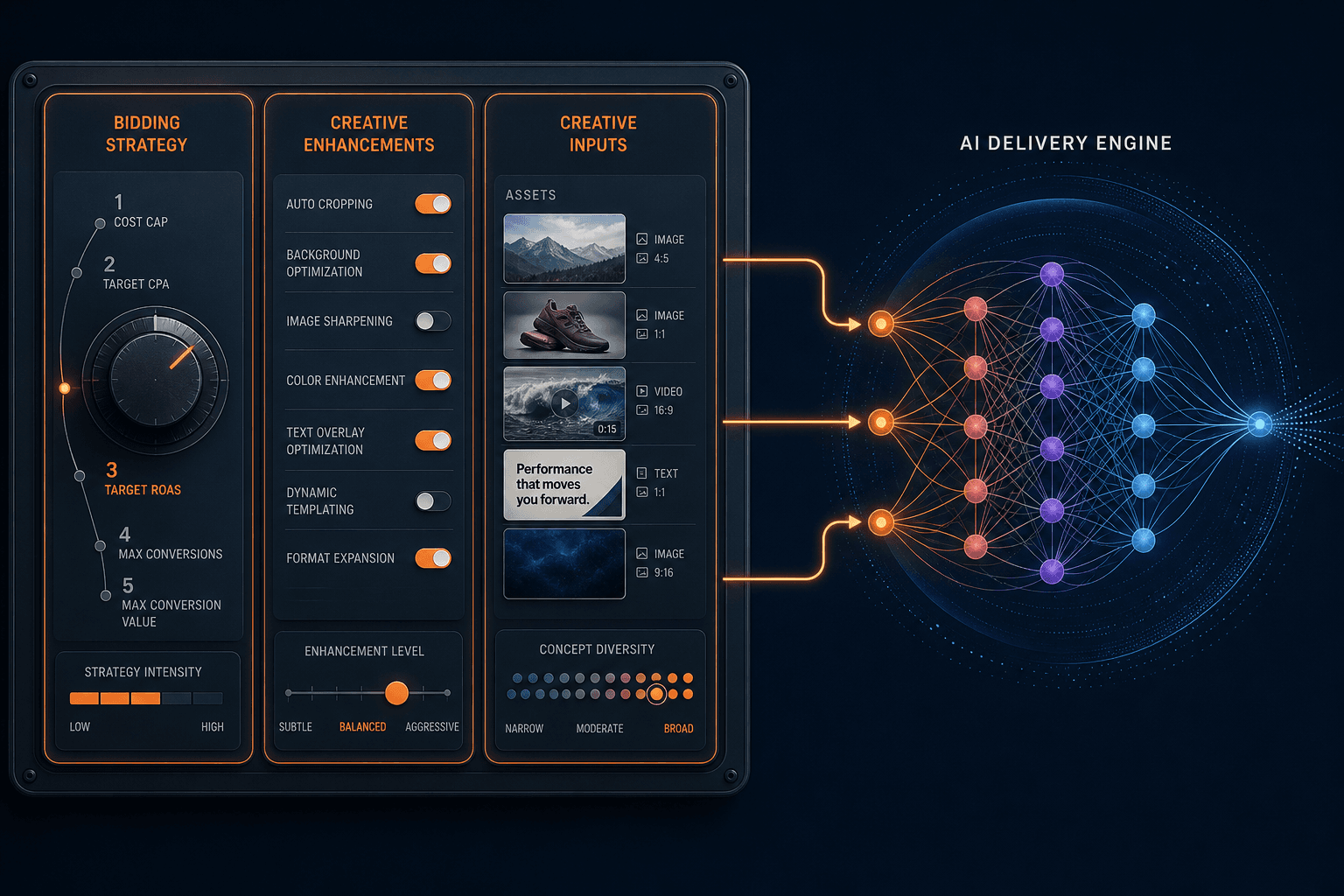
A practitioner decision framework for paid media managers running Meta Advantage+ Sales campaigns in 2026 — covering how to select the right bidding strategy for your campaign's maturity phase, configure Advantage+ Creative enhancements without brand risk, and build a creative input system that Andromeda can actually use.
What Meta Automated — and What It Left in Your Hands
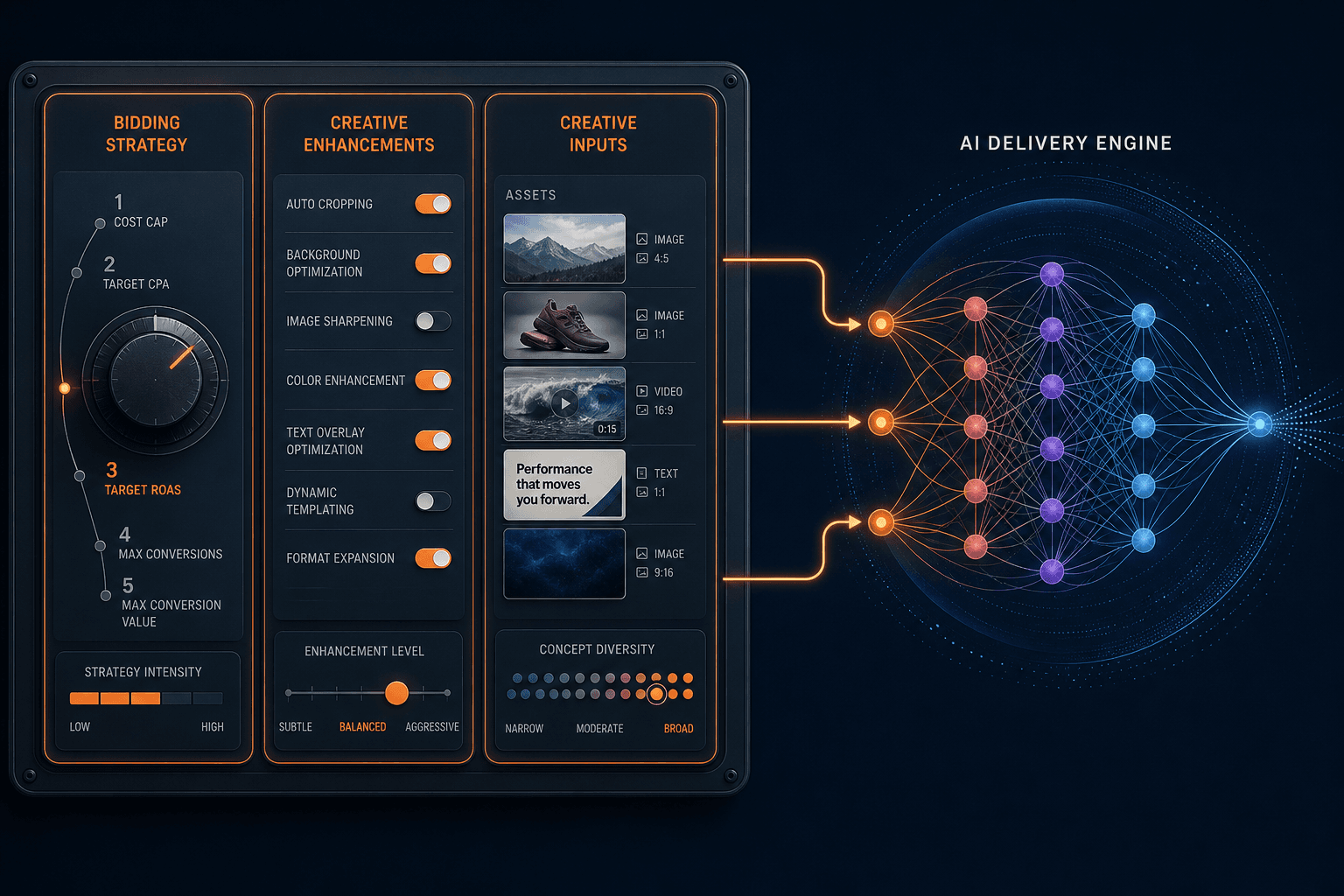
Meta now owns audience targeting, placement selection, and budget allocation. The algorithm decides who sees your ad, where it appears, and how spend flows between ad sets within a campaign. Advertisers who fight this — by over-segmenting audiences, hardcoding placements, or micromanaging budget splits — are applying manual instincts to a system that was rebuilt to make those instincts redundant.
What remains in your hands is narrower but more consequential than it used to be. Three levers still require human judgment: which bidding strategy to apply given your campaign's current data maturity, which Advantage+ Creative enhancements to enable versus disable for your specific brand and campaign type, and the quality and concept diversity of the creative inputs you feed the system.
The February 2026 unified interface change consolidated manual and Advantage+ campaign flows into a single creation path, with AI features on by default but individually toggleable. If you need background on what changed structurally and how to navigate the new setup flow, the Advantage+ Sales setup guide covers that in full. This article starts where that one ends: at the decision layer.
The Five Bidding Strategies and When to Use Each
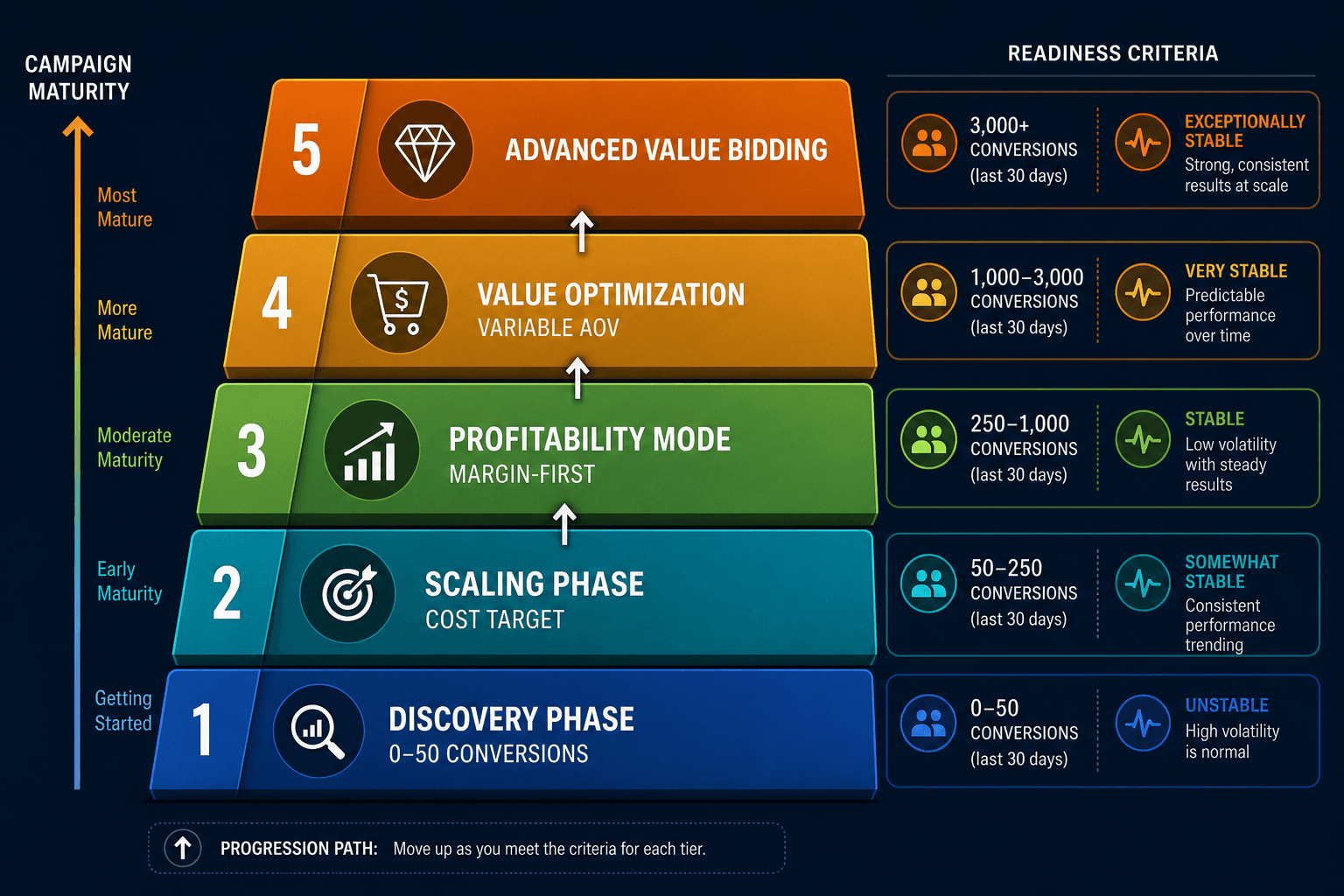
Meta's five bidding strategies are not a menu of equals. They map to distinct phases of campaign maturity, and applying the wrong strategy to the wrong phase is one of the most common reasons campaigns stall or overspend. The framework below treats them as a progression, not a set of options to rotate through at will.
| Strategy | Phase | Conversion Volume Threshold | Primary Use Case | Key Constraint |
|---|---|---|---|---|
| Highest Volume | Discovery | 0–50 conversions | Data collection, learning phase exit, new campaigns | No cost control — spend to budget |
| Cost Cap | Scaling | 50+ conversions, stable CPA known | Scaling with a target average CPA | Delivery may slow if cap is set too low |
| Bid Cap | Profitability | Proven CPA, margin-first mode | Hard cost control, profitability optimization | Not available inside Advantage+ Sales campaigns — requires manual campaign type |
| Minimum ROAS | AOV-variable ecommerce | 50+ purchase events, ROAS target established | Revenue-per-spend floor for catalog-heavy accounts | Can restrict volume significantly if ROAS floor is too aggressive |
| Highest Value | AOV-variable ecommerce | 50+ purchase events | Maximize purchase value, not just conversion count | Works best with value-based optimization enabled and accurate order value signals |
Highest Volume is the correct starting point for any new campaign or any campaign that has not yet accumulated 50 weekly conversions. Its purpose is data collection, not efficiency. Switching to Cost Cap before the learning phase exits will starve the algorithm of the signal it needs and typically produces the erratic CPAs that lead advertisers to conclude the platform isn't working.
Cost Cap vs. Bid Cap: The Distinction That Changes How You Scale
Conflating cost cap and bid cap is the single most common bidding error in Meta campaigns. The mechanics are fundamentally different, and applying the wrong one produces failure modes that are difficult to diagnose if you don't understand what each strategy is actually doing at auction.
| Dimension | Cost Cap | Bid Cap |
|---|---|---|
| What it controls | Target average CPA across all conversions | Maximum bid in any single auction |
| Individual conversion cost | Can exceed the cap — Meta has flexibility | Cannot exceed the cap — Meta won't bid above it |
| Primary variable | CPA is the target; spend adjusts to find volume | Spend is the variable; CPA is a byproduct |
| Delivery behavior when constrained | Slows delivery, finds cheaper inventory | Does not bid at all if winning requires exceeding the cap |
| Available in Advantage+ Sales | Yes | No — requires manual campaign type |
| Best for | Scaling with a known CPA target and acceptable variance | Margin-first mode where any conversion above a specific CPA is unprofitable |
With cost cap, Meta is trying to find conversion volume while keeping your average CPA near the target. Some individual conversions will cost more than the cap. That is by design. The algorithm is trading per-conversion variance for total volume efficiency.
With bid cap, Meta will not enter an auction if winning requires bidding above your ceiling. Spend becomes the variable that fluctuates. This is the right tool when a conversion above a specific cost is genuinely unprofitable — not just inefficient, but margin-negative. But because bid cap requires a manual campaign type in 2026, advertisers running Advantage+ Sales who need this level of cost control must structure their account with a parallel manual campaign for those scenarios.
Value Rules: Segment-Level Bid Steering on Top of Any Strategy
Value rules are bid multipliers that adjust how aggressively Meta bids for specific audience segments — by age, gender, location, device OS, or placement — while keeping the underlying machine learning intact. They do not replace your bidding strategy. They layer on top of it.
Before implementing value rules, confirm all four prerequisites are in place. Skipping any one of them makes the rules unreliable or non-functional:
- Value-Based Optimization (VBO) must be enabled simultaneously — value rules without VBO active produce no meaningful signal adjustment
- 50 or more purchase conversion events per week — below this threshold, Meta lacks sufficient data to apply multipliers accurately
- At least 20% ROAS variance between your target segments — if segments perform similarly, multipliers add noise without benefit
- Advantage+ Catalog Ads must be disabled — value rules are currently incompatible with catalog ad formats
For DTC accounts with meaningful AOV variance across customer segments, a four-tier structure provides a practical starting framework. Multipliers below are directional — calibrate to your own ROAS data before applying:
| Segment | Tier | Directional Multiplier | Rationale |
|---|---|---|---|
| Top 10% LTV customers | Bid up aggressively | ~2.5x | Highest lifetime value, worth premium acquisition cost |
| Repeat buyers | Bid up moderately | ~1.8x | Demonstrated purchase intent, lower conversion friction |
| High-AOV first-time buyers | Bid up lightly | ~1.4x | Strong revenue per transaction, acceptable acquisition cost |
| Discount-heavy buyers | Bid down | ~0.6x | Lower margin contribution, budget freed for higher-value segments |
The bid-down rule for discount-heavy buyers is frequently overlooked. Bidding down on low-margin segments frees budget for higher-value acquisition more efficiently than bidding up alone. The two work together: you are not just chasing your best customers harder, you are also reducing waste on segments that erode margin.
As a sourced reference point: Laura Geller Beauty reported a 46% ROAS increase after implementing value rules that bid up women aged 25–44 (identified as having 60% higher LTV) and bid down ages 45+. This outcome reflects a specific account configuration and segment ROAS variance — it is not a universal benchmark, but it illustrates what the mechanic can do when the data prerequisites are genuinely in place.
Advantage+ Creative Enhancements: An Enable/Disable Decision Matrix
Since February 2026, every new Sales, Leads, and App Promotion campaign launches with all Advantage+ Creative enhancements enabled by default. This is not a neutral starting point. Some enhancements are genuinely safe broad defaults. Others carry documented failure risks that make enabling them without review a brand liability.
The framework below organizes enhancements into three tiers based on documented risk profile and brand sensitivity:
| Enhancement | Tier | Risk Profile | Recommendation |
|---|---|---|---|
| Visual touch-ups (images) | Always enable | Low — non-destructive adjustments | Safe default for all campaign types |
| Brightness and contrast | Always enable | Low — minor image quality adjustment | Safe default |
| Adapt to placement | Always enable | Low — aspect ratio variations for inventory | Safe default; preview a sample before launch |
| Relevant comments | Always enable | Low — surfaces positive social proof | Safe default; monitor for off-brand comments |
| Expand image | Test carefully | Medium — AI fills frame beyond original asset edges | Preview required; acceptable if fill looks natural |
| Enhance CTA | Test carefully | Medium — AI rewrites call-to-action text | Preview on all placements before scaling |
| Add overlays | Test carefully | Medium — adds text/graphic elements to image | Documented cases of poor visual output; preview mandatory |
| Generate background for catalog | Test carefully | Medium — AI-generated backgrounds for product shots | Test on a small audience first; check brand alignment |
| 3D animation | Test carefully | Medium — converts static images to animated format | Low adoption rate; can appear unnatural; test selectively |
| Text improvements | Approach with caution | High — AI rewrites ad copy for engagement optimization | Can alter intended messaging; compliance disclaimers may be repositioned |
| Music | Approach with caution | High — AI auto-selects audio tracks | Documented tone mismatches; review any track before enabling at scale |
| Site links | Approach with caution | High — adds additional destination links below primary ad | Documented cases of diverting users from primary CTA; evaluate conversion rate impact carefully |
The failure cases for the high-risk tier are specific and documented. Text improvements optimize for engagement signals, not message accuracy — compliance disclaimers have been moved to less visible positions in some implementations, and the rewritten copy can diverge significantly from the original intent. Music auto-selection has produced mismatches between ad tone and audio track, including a spin class ad that received what was described as horror movie music. Site links have caused measurable conversion rate drops by routing users away from the primary destination.
It looks pretty awful. There's no way to sugarcoat it.
That assessment from Jon Loomer refers specifically to the image template overlay enhancement, which adds a solid bar across the top of images with the headline text centered in it. It is worth previewing before deciding whether to leave it enabled.
Brand risk from enhancements is not theoretical. In the True Classic case, AI-generated image enhancements produced visuals featuring a product the brand does not sell. Running enhancements on AI-generated base assets compounds this risk — which brings in the March 2026 disclosure requirement.
The Creative Input System: What Andromeda Actually Rewards
Andromeda evaluates thousands of ad variants in parallel. What it rewards is not volume — it is concept diversity. Uploading 50 minor variations of the same product shot against a white background gives the algorithm 50 data points on one creative hypothesis. It tells you nothing about whether a different angle, format, or hook would outperform.
The practical framework is five genuinely distinct creative angles, each representing a different way a potential customer might encounter and respond to your product:
- Problem-aware: leads with the pain point or friction the product resolves, before introducing the product itself
- Solution-aware: assumes the viewer knows the problem exists and leads with the product as the answer
- Social proof: testimonials, reviews, user-generated content, or volume signals (ratings, customers served)
- Comparison: positions the product against an alternative — a competitor, a DIY approach, or the status quo
- Demonstration: shows the product working, being used, or producing a visible result
Each angle should be represented across multiple formats and hooks. The practical volume targets: a minimum of 20–50 assets per ad set, with up to 150 per campaign for maximum Andromeda testing coverage. 9:16 vertical is the priority format — it covers the majority of Meta's inventory across Reels, Stories, and mobile feed placements.
For direct response objectives, UGC and social-native content consistently outperforms polished production creative. The hook must land within the first three seconds — if the viewer's attention isn't captured before the skip threshold, the rest of the creative is irrelevant.
If you are building copy variants at scale to support this framework, the mechanics of AI-assisted ad copy A/B testing are covered separately. This section addresses the enhancement layer and concept diversity framework — not the copy variant generation workflow.
Signal Quality: The Foundation AI Bidding Depends On
Treat CAPI as a prerequisite, not a nice-to-have. Pixel-only tracking misses 20–40% of conversions in a post-iOS 14 environment due to browser restrictions and cookie limitations. If Meta's bidding and creative optimization algorithms are working from an incomplete conversion signal, every decision they make — which audiences to target, which creatives to scale, which bids to place — is calibrated on incomplete data.
The metric to monitor is Event Match Quality (EMQ). An EMQ score of 6 or above indicates Meta can reliably match conversion events to user profiles. Below 6, the algorithm is struggling to attribute conversions accurately, which degrades both bidding precision and creative optimization. Check EMQ in Events Manager and treat anything below 6 as a signal quality problem to resolve before scaling spend.
- Learning phase exit threshold: approximately 50 conversion events per week per ad set. For Purchase and App Install campaigns specifically, Meta has reduced this threshold to 10 events.
- The 7-day no-edit rule: any significant campaign change — budget, targeting, creative, bidding strategy — resets the learning phase. Avoid edits during the first week after launch.
- Send full-funnel events, not only Purchase. Add to Cart, Initiate Checkout, and View Content events provide the algorithm with mid-funnel signal that improves audience matching even before purchase events accumulate.
Fatigue Monitoring: Three Signals That Tell You When to Refresh
Creative fatigue is a reach problem, not a creative quality problem. When your audience has seen your ads enough times that incremental impressions stop generating incremental response, the issue is exposure saturation — not that the creative stopped being good. The three signals below diagnose fatigue before it becomes a significant CPA problem.
| Signal | Fatigue Indicator | Action Threshold | Recommended Response |
|---|---|---|---|
| CPMr (cost per 1,000 unique users reached) | Rising cost to reach new unique users | Sustained above ~$20 for 7+ days (directional benchmark, single source) | Primary refresh trigger — introduce new creative concepts |
| CTR trend | Declining CTR alongside rising CPMr | Consistent week-over-week CTR decline | Confirms fatigue vs. seasonal/demand shift — prioritize creative refresh |
| Frequency | Average impressions per unique user per week | Above 3–4 per week | Secondary signal — high frequency with declining CTR confirms saturation |
| CPA spike | Cost per acquisition rising without bid change | 20%+ increase over baseline | Investigate fatigue as a cause alongside audience or offer changes |
Refresh cadence varies by spend level. For most active campaigns, new assets every 2–4 weeks is a reasonable operating rhythm. High-spend campaigns — where weekly unique reach is high and frequency accumulates faster — may require weekly creative refreshes to maintain performance.
When refreshing, introduce new creative concepts, not just new variations of existing ones. Andromeda has already learned what it can from your current concept set. A new product shot with the same hook and same angle provides marginal additional signal. A new angle — switching from product demonstration to social proof, for example — gives the algorithm a genuinely different hypothesis to test.
Common Mistakes and How to Diagnose Them
| Mistake | Symptom | Corrective Action |
|---|---|---|
| Editing during the learning phase | CPA volatility continues; campaign never stabilizes | Wait 7 days minimum after launch before making any significant changes; distinguish learning phase dips from genuine underperformance |
| Insufficient creative concept diversity | Algorithm plateaus; CPMr rises without new audience expansion | Audit creative library for angle variety — if all assets share the same hook or message frame, add genuinely different concepts across the five-angle framework |
| Budget too low to generate 50 weekly conversions | Campaign stays in learning phase indefinitely | Increase budget or broaden audience to reach conversion threshold; consider consolidating ad sets to concentrate signal |
| Confusing cost cap with bid cap | Cost cap set too low produces delivery stoppage, not cost control | See the Cost Cap vs. Bid Cap section above; if you need a hard per-auction ceiling, switch to a manual campaign type |
| Running value rules without VBO enabled | Rules apply but produce no meaningful bid adjustment | Enable Value-Based Optimization simultaneously; confirm 50+ weekly conversions and 20%+ ROAS variance between segments before activating |
| Enabling all enhancements without previewing outputs | Brand-inconsistent visuals, altered messaging, or wrong products appear in delivered ads | Review each enhancement tier; disable high-risk enhancements (text improvements, music, site links) by default; preview medium-risk enhancements before scaling |
| Running bid cap scenarios inside Advantage+ Sales | Bid cap option unavailable in campaign setup; attempting workarounds produces incorrect cost control behavior | Use a manual campaign type for any scenario requiring a hard per-auction bid ceiling |
| Using AI-generated base assets without verifying disclosure settings | Ad rejected for undisclosed AI content | Verify AI content disclosure settings before launch; enhancements applied to AI-generated base assets compound the disclosure requirement |
Comments
Join the discussion with an anonymous comment.